Best 1000W Portable Power Stations for Home Use: Top 9 Picks (October 2026)
The best 1000W portable power stations for home backup include the Jackery Explorer 1000 v2 for balanced home backup, the EcoFlow Delta 3 Classic for heavier appliances, and the Anker SOLIX C1000 Gen 2 for rapid recharge.
On this page (5 sections)
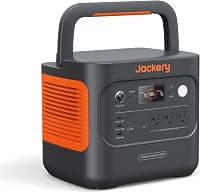
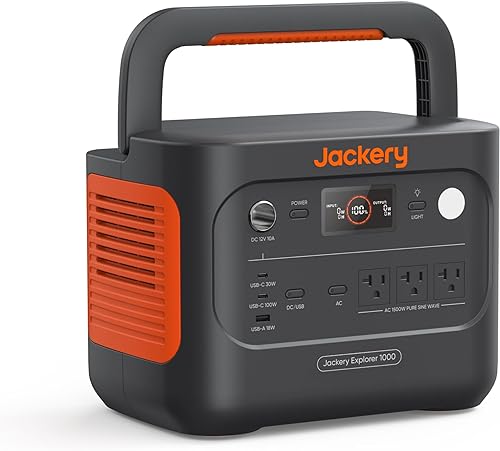
The Jackery Explorer 1000 v2 is our top pick among the best 1000W portable power stations for balanced home backup, with 1,070Wh capacity, 1,500W AC output and a 3,000W surge peak. If your appliances need more continuous power, compare the EcoFlow Delta 3 Classic and Anker SOLIX C1000 Gen 2.
A portable power station in this class can support selected home essentials during an outage. Choose devices by their running and startup watts, then plan how long you need them to run before settling on a model.
For the basics, start with what a portable power station is. Use our storm backup guide to build an outage plan, and read how watt-hours differ from watts before estimating runtime.
Our picks at a glance
-
1
-
2

-
3
How did we compare the best 1000W portable power stations?
We compared battery capacity, continuous AC output, surge rating, recharge options and home backup features. The scores reflect how each combination fits an essentials-first outage plan, with portability and charging needs also considered.
These picks sit around 1kWh of stored energy, but their continuous output ranges from 1,000W to 2,000W. A higher output can handle a larger simultaneous load, while a larger battery can run a given load longer.
Which best 1000W portable power station fits your load?
The comparison table helps narrow the choices by output, battery size and backup features. Treat power and stored energy as separate checks: watts describe what can run at once, while watt-hours help estimate how long it can run.
| Product | Best for | Capacity | AC output | Weight | Our score |
|---|---|---|---|---|---|
| Jackery Explorer 1000 v2 | balanced home backup | 1,070Wh | 1,500W, 3,000W surge peak | 23.8 lb | 9.1 |
| EcoFlow Delta 3 Classic | heavier appliances | 1,024Wh | 1,800W, 3,600W surge | 8.9 | |
| Anker SOLIX C1000 Gen 2 | rapid recharge | 1,024Wh | 2,000W, 3,000W peak | 8.8 | |
| Bluetti Elite 100 V2 | quiet rooms | 1,024Wh | 1,800W rated | 25 lb | 8.7 |
| Bluetti AC180 | longer runtimes | 1,152Wh | 1,800W, 2,700W boosted | 37.4 lb | 8.5 |
| DJI Power 1000 V2 | overnight camping | 1,024Wh | 8.4 | ||
| OUPES Mega 1 | expandable storage | 1,024Wh, expandable to 5,120Wh | 2,000W, 4,500W surge | 27.8 lb | 8.0 |
| Anker SOLIX C1000 | solar planning | 1,056Wh | 1,800W, 2,400W peak | 27.6 lb | 7.9 |
| GRECELL 999Wh Power Station | modest loads | 999Wh | 1,000W, 2,000W surge | 23 lb | 7.2 |
Which best 1000W portable power station should you buy?
The Jackery suits a balanced essentials plan, while higher-output models offer more headroom for compatible appliances. Check device labels and manuals before connecting equipment, especially appliances with motors or heating elements.
Jackery Explorer 1000 v2: Best for balanced home backup
- 1,070Wh capacity
- 1,500W AC output
- 3,000W surge peak
- 23.8 lb weight
A 1,070Wh battery and 1,500W AC output suit a range of home essentials. Its 23.8 lb weight and foldable handle make it easier to move than heavier options.
Pros
- 3,000W surge peak
- Foldable handle
- Three pure sine wave AC ports
Cons
- Solar panels are not included
- Solar charging works only with Jackery panels
The Jackery Explorer 1000 v2 combines 1,070Wh of capacity with 1,500W AC output and a 3,000W surge peak. This balance suits a home plan built around a few essential devices rather than every appliance in the house.
Its 23.8 lb weight and foldable handle make it easier to move between storage and the room where you need backup. Three pure sine wave AC ports connect compatible devices, while USB-C, USB-A and a DC car port cover smaller electronics.
Jackery's app offers an emergency charging mode that can take the battery from empty to full in one hour when enabled before charging. The default mode takes 1.7 hours and is intended to support battery health.
Solar panels aren't included. Solar charging works with Jackery panels.
Choose this model if you want a manageable carry weight, balanced output and a clear set of charging controls. Skip it if you need more than 1,500W of continuous output.
EcoFlow Delta 3 Classic: Best for heavier appliances
- 1,024Wh capacity
- 1,800W output
- 3,600W surge
- Under-10ms UPS
Its 1,800W output and 3,600W surge rating give more headroom for compatible appliances. Under-10ms UPS switching may suit sensitive electronics that need backup.
Pros
- 0–80% charge in 45 minutes
- Six outlets
- App includes backup modes
Cons
- Not compatible with specified Delta extra batteries
- Solar panel is optional
The EcoFlow Delta 3 Classic fits buyers who need more continuous output for compatible appliances. Its 1,800W output, 3,600W surge rating and 1,024Wh battery give it more output headroom than the Jackery.
EcoFlow says X-Boost can raise output to 2,600W for heavier loads. Check the appliance requirements and EcoFlow's guidance before relying on that feature, particularly with devices that heat or use a motor.
The under-10ms UPS transfer is designed to keep sensitive electronics such as PCs and servers supplied during a power interruption. AC charging reaches 80% in 45 minutes, and EcoFlow gives a 2.5-hour solar recharge estimate with an optional 500W panel.
This model won't work with the Delta 2 Smart Extra Battery or Delta 3 Series Smart Extra Battery. Choose it for higher output and fast AC charging; skip it if you expect to expand with either of those batteries.
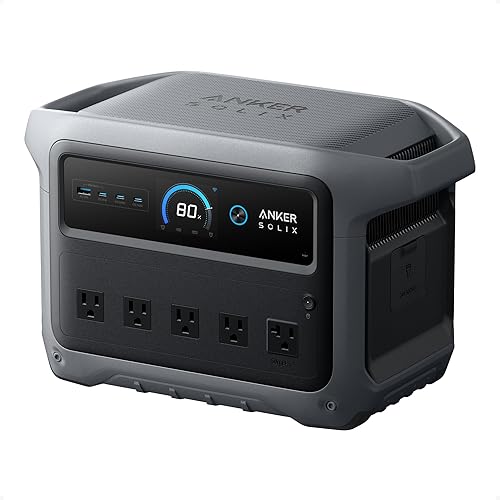
Anker SOLIX C1000 Gen 2: Best for rapid recharge
- 1,024Wh capacity
- 2,000W output
- 3,000W peak
- 49-minute full recharge
Anker gives this model 2,000W output and a stated 49-minute full recharge with HyperFlash enabled. It also supports up to 600W of solar input.
Pros
- 2,000W continuous output
- Under-10ms UPS backup
- App-based Time-of-Use mode
Cons
- Fast charging depends on battery temperature
- Capacity is not expandable
The Anker SOLIX C1000 Gen 2 offers 2,000W continuous output from a 1,024Wh battery, with a 3,000W peak rating. It's a strong fit for buyers who want high output and quick charging in a portable unit.
Anker says HyperFlash can fully recharge it in 49 minutes at 1,600W when enabled in the app. The advertised fast rate depends on battery temperature and activates above 20°C.
The station supports up to 600W of solar input, with a stated 1.8-hour solar recharge time under the specified setup. Under-10ms UPS switching can suit a router or computer, and the app's Time-of-Use mode lets you schedule charging and discharging.
This generation doesn't support capacity expansion. Choose it for high output and fast charging, but skip it if adding extra battery capacity is part of your backup plan.
Bluetti Elite 100 V2: Best for quiet rooms

- 1,024Wh capacity
- 1,800W rated AC output
- 30dB silent mode
- 25 lb weight
The Elite 100 V2 combines 1,800W rated AC output with a 30dB silent mode. At 25 lb, it remains manageable to move between rooms.
Pros
- Under-10ms UPS
- 0–80% charge in about 45 minutes
- App supports Wi-Fi and Bluetooth
Cons
- Keep it upright during storage and transport
- Solar input and panel compatibility need checking
The Bluetti Elite 100 V2 is a good match when quiet operation matters for indoor backup. It combines 1,800W rated output with a 1,024Wh battery and weighs 25 lb.
Bluetti says silent mode runs at 30dB, and the under-10ms UPS function is intended for devices such as Wi-Fi routers and PCs. Its ports support multiple devices, but their combined draw still needs to stay within the station's output limit.
AC charging reaches 80% in about 45 minutes with the 1,200W TurboBoost feature. For solar, check panel voltage and connector compatibility before buying; Bluetti's guidance allows compatible third-party panels within its stated limits.
Keep the Elite 100 V2 upright during storage and transport. Bluetti warns that laying it on its side may damage internal parts.
Choose it for quiet operation and quick backup switching. Skip it if your storage space requires laying the station flat.
Bluetti AC180: Best for longer runtimes

- 1,152Wh capacity
- 1,800W output
- 2,700W boosted output
- Eight outlets
Its 1,152Wh capacity is the largest in this group, paired with 1,800W output and an app-enabled 2,700W boost. The 37.4 lb weight makes it less convenient to carry.
Pros
- Eight outlets
- Can fully charge in one hour at 1,440W AC input
- Supports expansion batteries
Cons
- Heaviest pick here
- UPS switch time is 20ms
The Bluetti AC180 has the largest battery in this group, at 1,152Wh, and provides 1,800W output. App control can boost output to 2,700W for compatible higher-demand devices.
Eight outlets give you several connection points for a home backup setup. Bluetti says the unit can fully recharge in one hour at 1,440W AC input, while 500W solar input takes about 2.8–3.3 hours.
The AC180 supports expansion batteries if your stored energy needs grow. Its 37.4 lb weight makes it less convenient to carry than the lighter options above, so choose a storage spot before an outage.
Bluetti states a 20ms UPS transfer time. Pick this model if you value added capacity and expansion support over low weight or the fastest switching time.
DJI Power 1000 V2: Best for overnight camping

- 1,024Wh capacity
- 80% charge in 37 minutes
- 26dB stated low noise
- Under-10ms UPS
DJI highlights a 37-minute recharge to 80%, low noise down to 26dB and under-10ms UPS switching. Solar charging needs a separate compatible adapter.
Pros
- Two 140W USB-C ports
- Under-10ms UPS
- Stated 5-year warranty
Cons
- Solar and car charging need a separate adapter
- AC output is stated as 2,600W
The DJI Power 1000 V2 stands out for quiet overnight use and quick recharging. DJI says it reaches 80% charge in 37 minutes and can run at a low noise level of 26dB.
DJI also describes a 10ms UPS switch time. Two 140W USB-C ports provide a combined 280W for compatible devices such as laptops and creative gear.
The stated stable output is 2,600W, so confirm the appliance's requirements and compatibility before use. Solar and car charging need a separate compatible adapter because those charging modules aren't built in.
Choose this station if you need fast charging, quiet operation and high-power USB-C ports. Skip it if you want solar charging without buying a compatible adapter.
OUPES Mega 1: Best for expandable storage

- 1,024Wh capacity
- 2,000W continuous output
- Expandable to 5,120Wh
- 36-minute 0–80% AC charge
The Mega 1 pairs 2,000W continuous output with the option to expand capacity using up to two extra batteries. That flexibility may help if your backup needs grow.
Pros
- Capacity can expand to 5,120Wh
- 0–80% AC charge in 36 minutes
- App control over Bluetooth
Cons
- Extra batteries are needed for expansion
- Under-20ms UPS transfer
The OUPES Mega 1 is the pick for buyers who want the option to add substantial battery capacity later. It provides 2,000W continuous output with a 4,500W surge rating, and up to two B2 extra batteries can expand capacity to 5,120Wh.
OUPES says AC charging reaches 80% in 36 minutes. It also gives a 26-minute estimate to 80% when AC and solar inputs are combined, though charging depends on available input and conditions.
The unit has Bluetooth app control, dual 100W USB-C ports, USB-A ports and 12V DC outputs. Its under-20ms UPS transfer is slower than the under-10ms options, so consider that for sensitive equipment.
At 27.8 lb, it's portable but heavier than the lightest picks. Choose it if expansion is central to your plan; skip it if you want a lighter unit or the shortest UPS transfer.
Anker SOLIX C1000: Best for solar planning

- 1,056Wh capacity
- 1,800W output
- Up to 600W solar input
- 11 ports
The original C1000 offers 1,056Wh capacity, 1,800W output and up to 600W solar input. It has 11 ports for a mix of home and personal devices.
Pros
- 80% charge in 43 minutes under stated conditions
- 11 ports
- Solar input supports 11–60V
Cons
- Fast-charge timing depends on temperature and settings
- No stated UPS transfer time here
The original Anker SOLIX C1000 suits buyers planning to use compatible solar panels. It has 1,056Wh capacity, 1,800W output and up to 600W solar input.
Anker says UltraFast recharge can reach 80% in 43 minutes when enabled through the app under the stated temperature conditions. That estimate assumes no load and an ambient range of 68–122°F.
Eleven ports offer options for home devices and personal electronics, and the unit weighs 27.6 lb. Anker's solar guidance calls for an 11–60V panel with an XT-60 connector, with different current limits depending on voltage.
Choose this version if its solar-input setup and capacity fit your plan. Compare it with the C1000 Gen 2 if higher output and its stated full-charge time matter more.
Skip it if you need a stated UPS transfer time.
GRECELL 999Wh Power Station: Best for modest loads

- 999Wh capacity
- 1,000W output
- 2,000W surge
- 23 lb weight
GRECELL provides 1,000W output with a 999Wh battery and a 2,000W surge rating. Its lower output limit fits a smaller load plan than the higher-powered picks.
Pros
- Compact 23 lb weight
- Includes AC, car and solar charging cables
- Built-in MPPT controller
Cons
- Do not use with devices rated above 1,000W
- Estimated runtime depends on load and conditions
The GRECELL 999Wh Power Station is the straightforward choice for a smaller, lower-wattage load plan. Its 1,000W continuous output and 2,000W surge rating place a firm limit on which appliances you can run.
It weighs 23 lb and includes two AC sockets, USB and DC ports, a car outlet, wireless charging and an LED light. The package includes AC, car and solar charging cables, and the unit has a built-in MPPT controller.
GRECELL's estimated runtime formula uses 85% conversion efficiency, but actual runtime varies with device draw and conditions. Turn off AC output when it's not in use, since idle AC output can still drain the battery.
Don't connect equipment rated above 1,000W. Choose this unit for modest loads and straightforward planning; skip it if your appliances need more continuous output.
How do you choose a 1000W power station for home backup?
Choose by the devices you need to run, their startup draw and the number of hours you need power. A battery around 1kWh can support several small devices for a while, but a high-wattage appliance can use that energy quickly.
How do you match the best 1000W portable power station to your devices?
Make a list of the devices you want to run together and add their running watts. Then check whether any motor-driven appliance needs a short surge above its normal draw when it starts.
A refrigerator, sump pump or window air conditioner can have a startup demand that differs from its running watts. Read our guide to portable power station and sump pump compatibility before relying on a station for water removal.
How do watt-hours help you choose a 1000W power station?
Multiply each device's watts by the hours you expect to run it, then add the results. This gives you a rough energy need before conversion losses, so treat it as a planning estimate rather than guaranteed AC runtime.
For example, a 50W device running 10 hours uses 500Wh before losses. Use our watt-hour guide to compare that estimate with a station's stated capacity.
What should you plan before setting up a home backup station?
Choose a dry, accessible spot where the unit can sit upright and where you can reach its controls and ports. Check the manual for placement and charging guidance, and keep cables arranged so they won't become a trip hazard.
Before an outage, charge the station and learn how to turn on the outputs you plan to use. Test the setup with your intended devices, watch the displayed load and battery level, and keep the manual and compatible charging cables nearby.
Think through how you'll recharge it if the grid stays down. Solar input can help when sunlight and compatible panels are available, but panel limits and connection requirements vary by model.
For charging estimates, the guide to how long a portable power station takes to charge explains how input power, remaining capacity and conditions affect recharge time.
How can you care for a portable power station?
Follow the brand's instructions for charging, storage and temperature. Keep the unit dry, avoid blocking its ventilation, and check cables and ports for visible damage before connecting it.
Turn off outputs you aren't using so connected ports and idle AC output don't draw power unnecessarily. If a model has an app, review its settings before an outage so you know how to enable any special charging or backup mode.
For longer-term upkeep, see how long portable power stations last. Battery life and storage needs vary by model, so use its manual for the care schedule.
What mistakes should you avoid with a 1000W power station?
The most common mistake is choosing by battery size alone. A station can have plenty of watt-hours and still fail to start an appliance that exceeds its continuous or surge output.
Don't assume a surge figure can support a high draw continuously. Don't rely on a maker's fast-charge estimate without checking which mode, temperature and input setup it requires.
Also avoid buying a solar panel before checking voltage, connector and wattage compatibility. If you need a fridge, pump or other essential appliance, calculate its draw and startup demand first, then leave room for the other devices you expect to run.
Which 1000W portable power station should you pick?
Choose the Jackery Explorer 1000 v2 for a balanced mix of capacity, output and portability. Pick the EcoFlow Delta 3 Classic or Anker SOLIX C1000 Gen 2 if your priority is higher continuous output, the Bluetti Elite 100 V2 for quiet indoor operation, or the Bluetti AC180 for the largest battery and expansion support in this group.
The best 1000W portable power station is the one that matches your actual appliance list, runtime goal and recharge plan. If your loads exceed this class, compare our best 2000W portable power stations before choosing.
Our top 3 picks at a glance
-
1
-
2
-
3
Frequently asked questions
What does 1000W mean on a portable power station?
A 1,000W rating describes how much power a station can deliver at once, while watt-hours describe stored energy. Check the continuous output and surge rating separately, because a device may draw extra power when it starts.
Match both ratings to the devices you plan to run.
What can a 1000W portable power station run at home?
A 1,000W class station can run devices whose combined draw stays within its AC output limit, such as some lights, routers, laptops or small appliances. Actual fit depends on each device's running and startup watts.
Use our guide to what a portable power station can run to plan a load list.
How long will a 1000Wh power station run a device?
Runtime depends on the device's draw and conversion losses. A rough estimate is battery watt-hours multiplied by an efficiency factor, then divided by the device's watts.
For a more complete explanation, see how watt-hours differ from watts.
Can a 1000W portable power station run a sump pump?
It depends on the pump's running watts and startup surge, plus how long it must operate. Check the pump label or manual and compare both needs with the station's continuous and surge output.
Our sump pump backup guide covers the key checks.
Can I use a portable power station indoors?
Battery power stations can be used indoors when the manufacturer allows it and you follow the manual's ventilation, charging and placement instructions. Keep the unit dry and away from heat, and do not confuse it with a fuel-burning generator.
Read our guide to using a portable power station indoors.